

Support

In our latest update we optimised our flagship apps to run at 60hz. This provides a vastly smoother graphical experience, but it does come at a cost and some lower-spec devices may suffer from stutter or slowdown at times during gameplay. If you have issues with the 60hz mode, we have provided an option in these apps to revert back to the original 30hz framerate.
You can freely switch between 60 and 30hz at any time by following these steps:
1. For My Golf 3D 2. For My Bowling 3D, Pro Snooker, Pro Pool, Pro Snooker & Pool and Pro Darts
If for any reason you are experiencing a problem that is not covered here then please contact us via our contact page on this website.
My Golf 3D
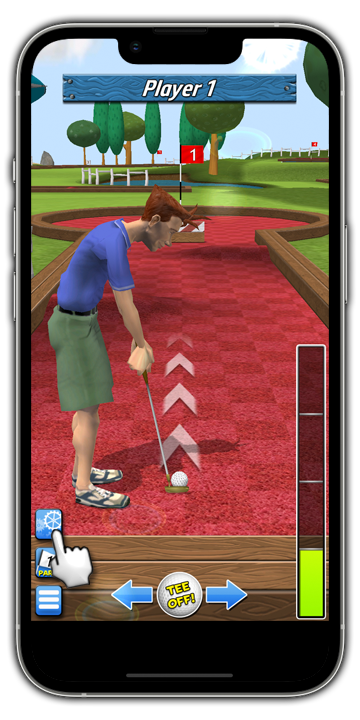
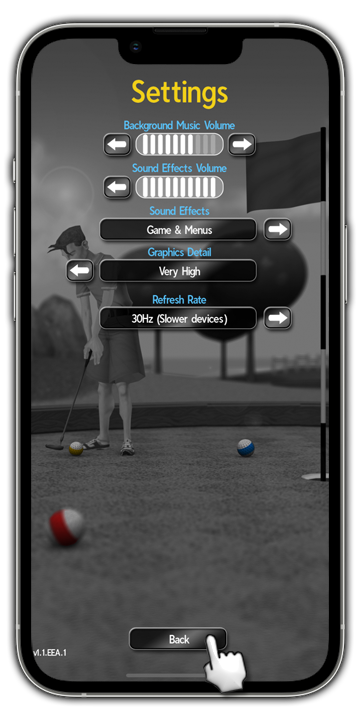
Step 1: From within the game, tap on the 'Settings' icon.
Step 2: Locate the 'refresh rate' options.
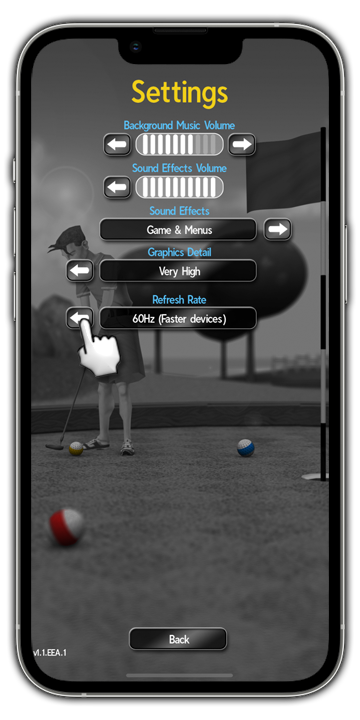
Step 3: Change the '60hz (faster devices)' toggle to '30hz (slower devices)' and tap 'Back' to return to the game.
My Bowling 3D, Pro Snooker, Pro Pool, Pro Snooker & Pool and Pro Darts
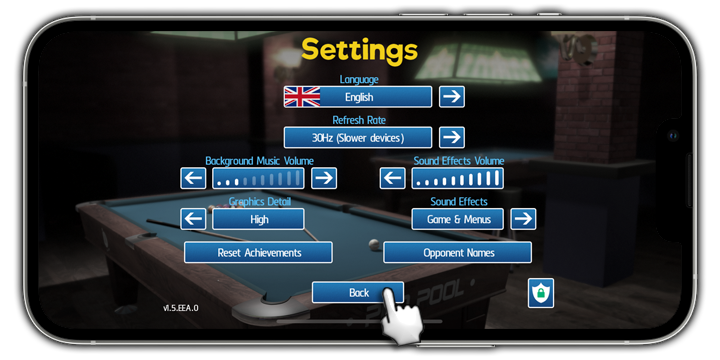
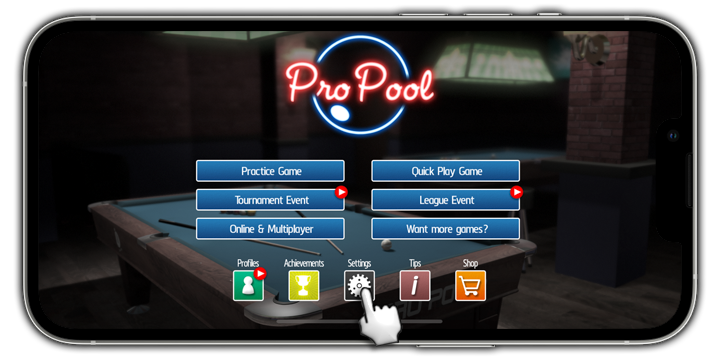
Step 1: From the main menu, tap on 'Settings'.
Step 2: Locate the 'refresh rate' options.
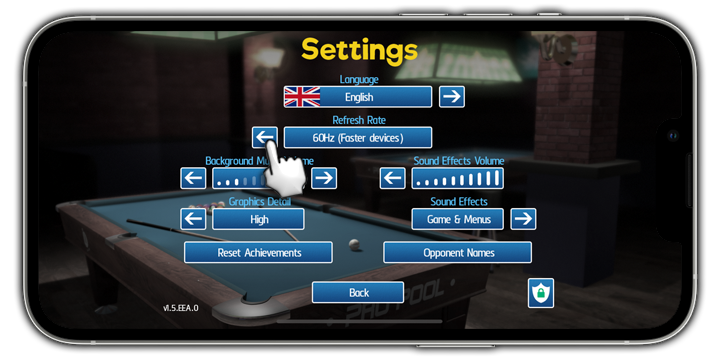
Step 3: Change the '60hz (faster devices)' toggle to '30hz (slower devices)', then tap the 'Back' button to return to the Main Menu.