

Support

Our Instant Message feature allows you to send simple pre-defined messages to opponents to comment on their gameplay, type messages to friends during a game and send messages to friends playing in other supported iWareDesigns games.
1. How do I send an instant message in-game? 2. How do I type a message in-game? 3. How do I send a message to a friend playing a different iWare Designs game? 4. How do I set message preferences?
If for any reason you are experiencing a problem that is not covered here then please contact us via our contact page on this website.
How do I send an instant message in-game?
This applies to Online and Local Network game in supported iWare Designs games.
Step 1: From within an Online or Local Network game, tap on the 'Message' icon.
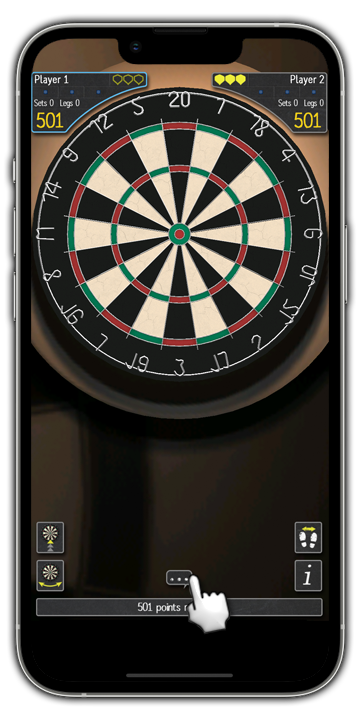
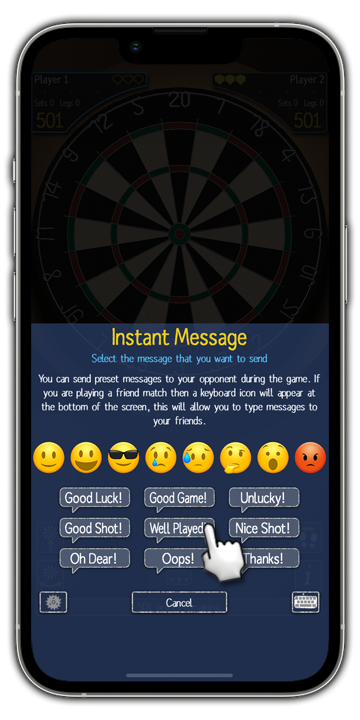
Step 2: Choose your message or Emoji by tapping on it.
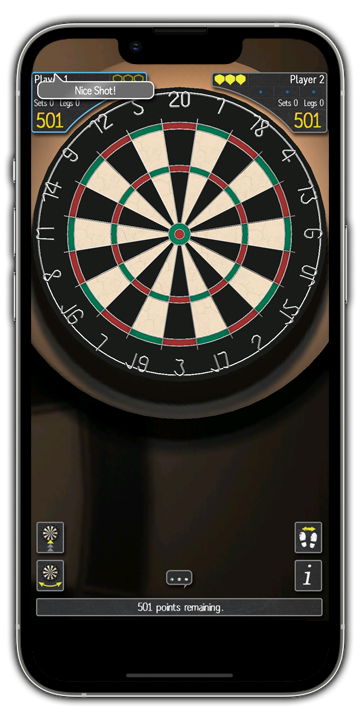
Step 3: Your chosen message or Emoji will be shown on screen.
How do I type a message in-game?
This applies to Local Network games and Online games where you are playing with friends in supported iWare Designs games.
Step 1: From within an Online or Local Network game, tap on the 'Message' icon.
Step 2: Tap on the keyboard icon.
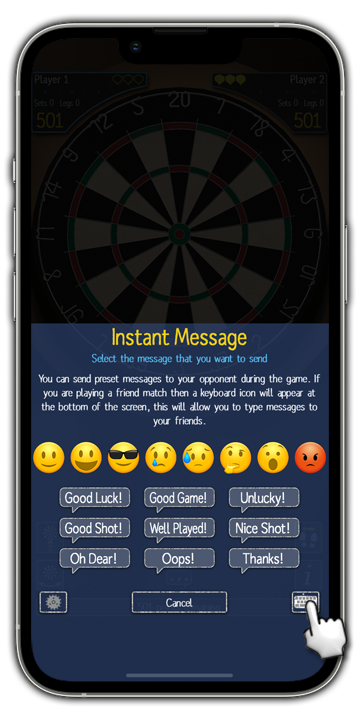
Step 3: Use the keyboard to enter your message.
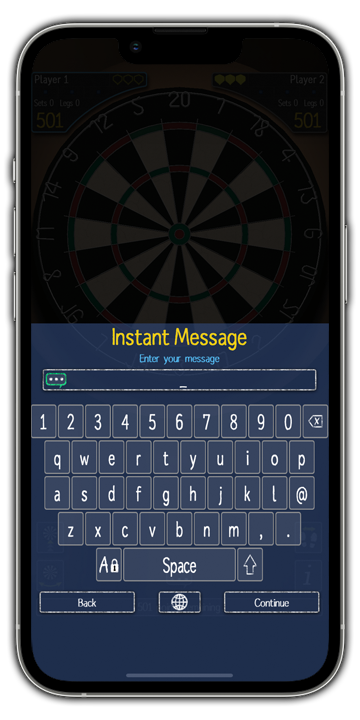
Step 4: Tap on the 'Continue' button ...
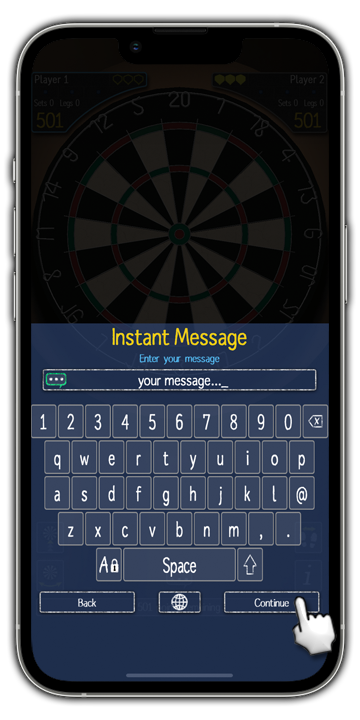
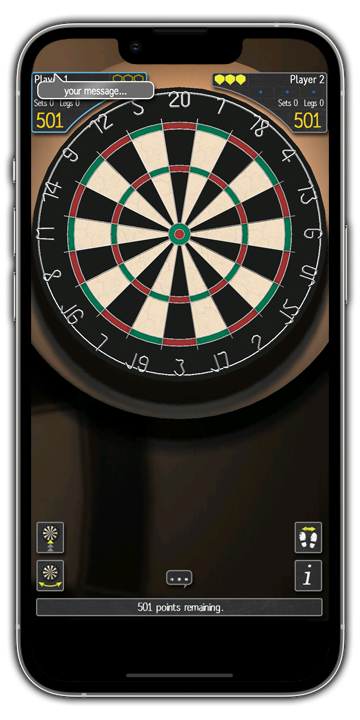
Step 5: ...and your message will be shown on the screen.
How do I send a message to a friend playing a different iWare Designs game?
Step 1: From the 'Online & Multiplayer' menu, tap on 'Online Game'.
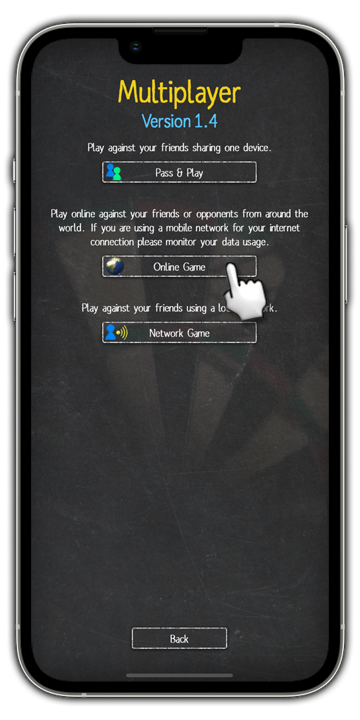
Step 2: Tap on 'Sign In'.
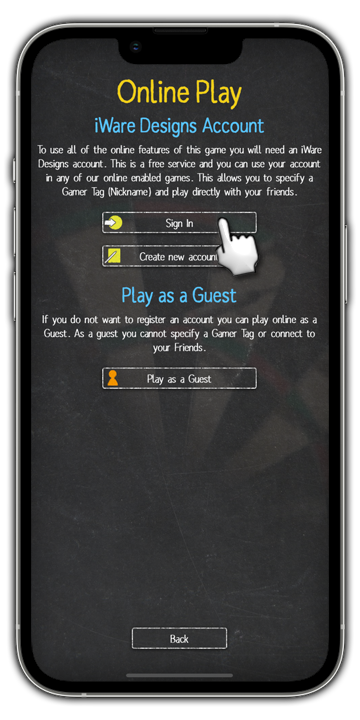
Step 3: Input your Gamer Tag and Password, then tap 'Sign In'.
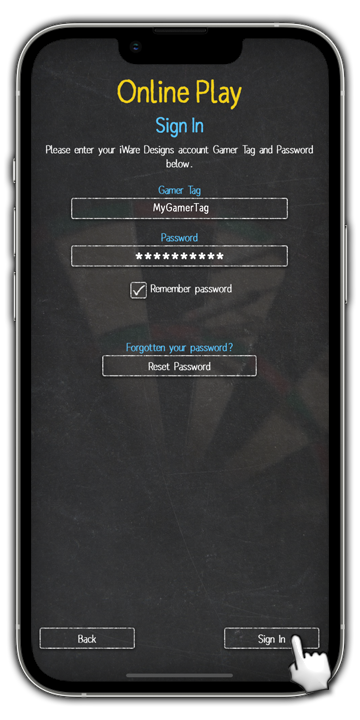
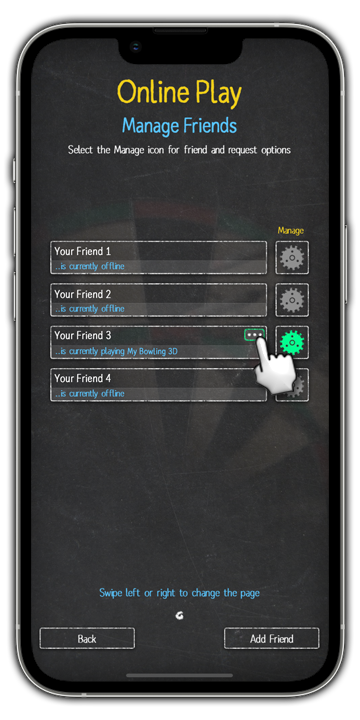
Step 4: Tap on 'Manage your friends'.
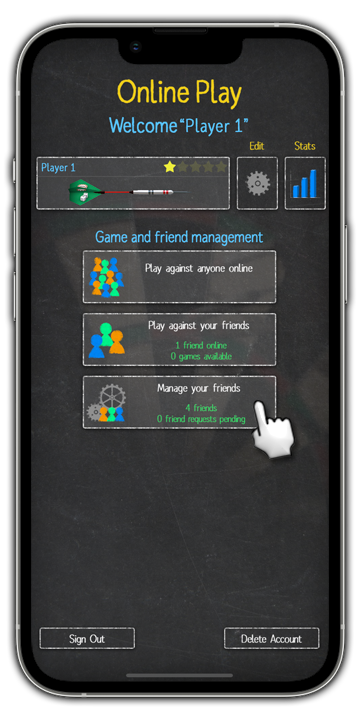
Step 5: Tap on the 'Message' icon next to the friend you want to message. They must be signed in to their iWare Designs Account in any supported iWare Designs game.
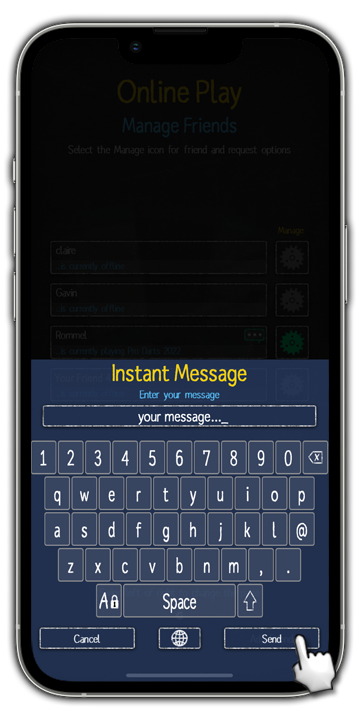
Step 6: Use the keyboard to enter your message, then tap 'Send'. Your message will be delivered to your friend.
How do I set message preferences?
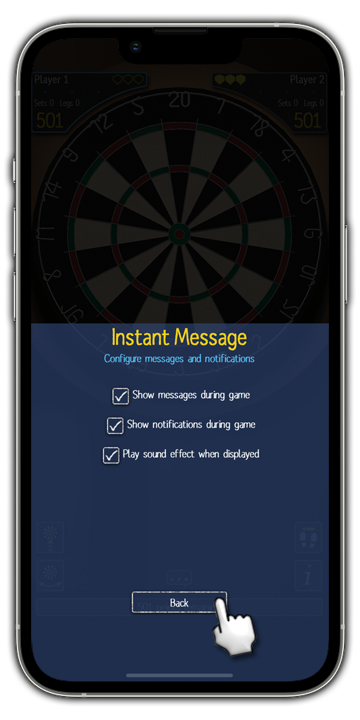
Message preferences allow you to stop receiving messages from opponents or other notifications during an Online or Local Network game.
Step 1: From within an Online or Local Network game, tap on the 'Message' icon.
Step 2: Tap on the 'Settings' icon.
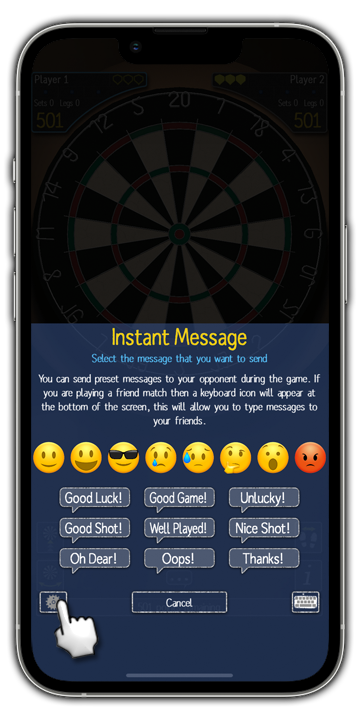
Step 3: Tap to tick/untick your preferred options, then tap the 'Back' icon when you are done.