

Support

This support page contains solutions to the most common problems reported via our support page.
1. How do I play a Local Network game? 2. How do I create a Local Network game?
If for any reason you are experiencing a problem that is not covered here then please contact us via our contact page on this website.
How do I play a Local Network game?
Pro Pool is shown here, but these steps apply to any iWareDesign game where Network play is supported.
To play a game over a Local Area Network, please follow these steps:
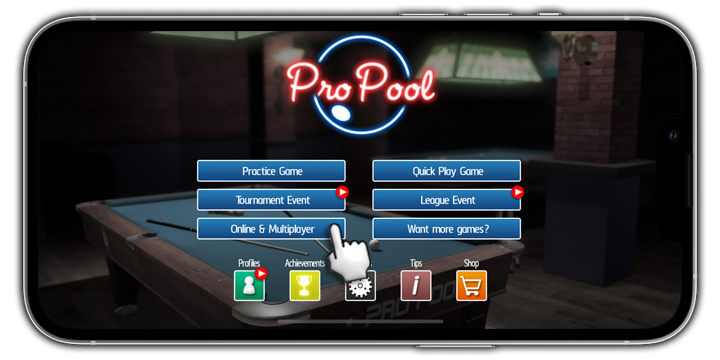
Step 1: Tap on 'Online and Multiplayer' on the Main Menu.
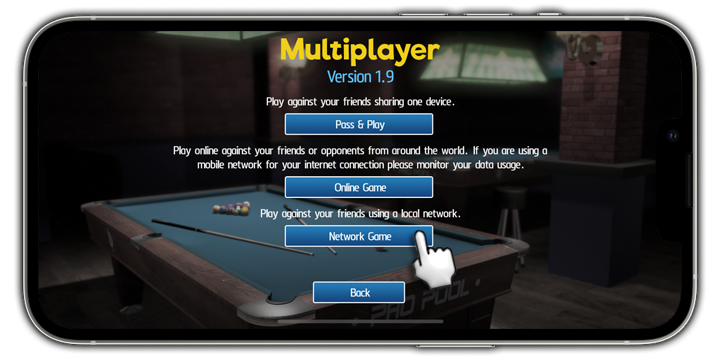
Step 2: Tap on 'Network game'.
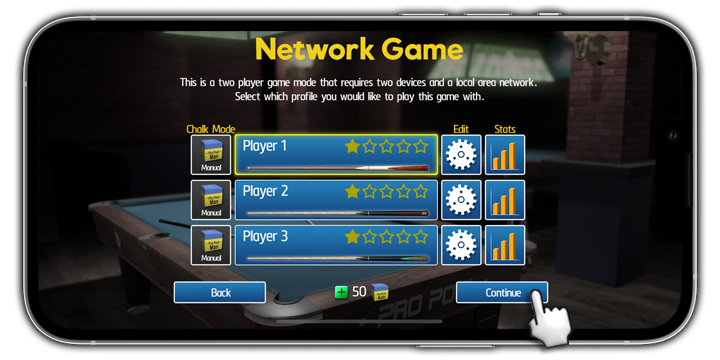
Step 3: Choose a player profile to use and tap 'Continue'.
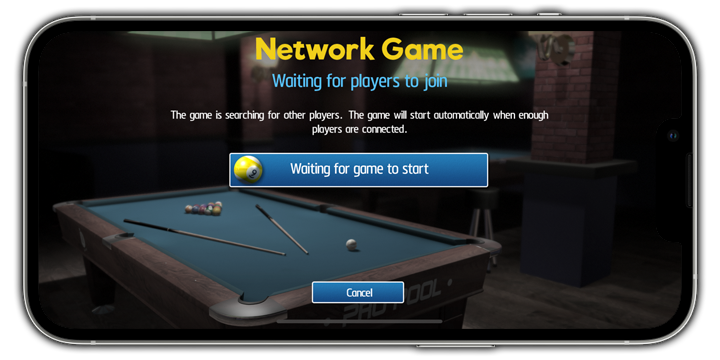
After a brief search, any available games will be listed.
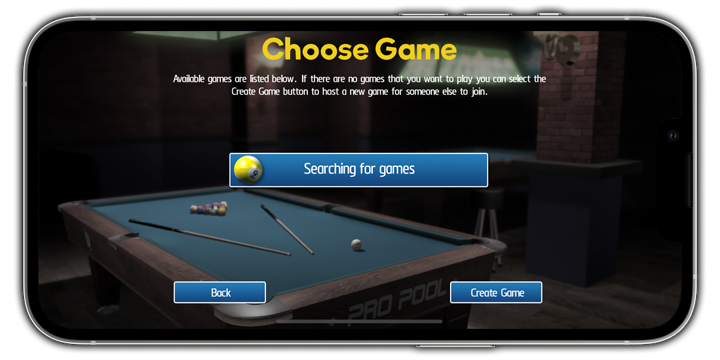
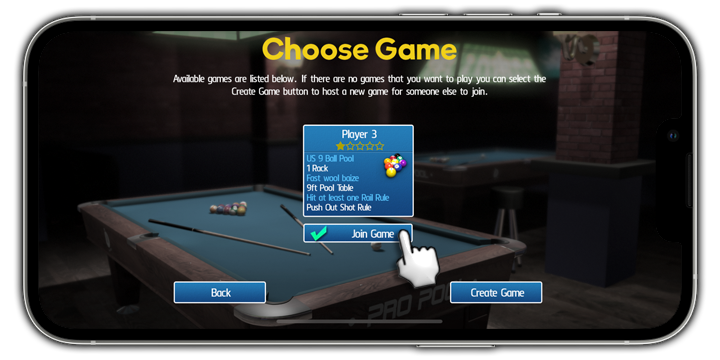
Step 4: Tap 'Join Game' under the game you want to play.
How do I create a Local Network game?
To create a game to play over a Local Area Network, please follow these steps:
Step 1: Tap on 'Online and Multiplayer' on the Main Menu.
Step 2: Tap on 'Network game'.
Step 3: Choose a player profile to use and tap 'Continue'.
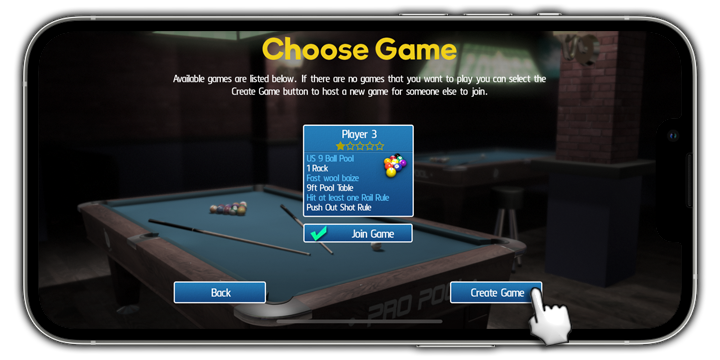
Step 4: Tap on 'Create Game'.
Step 5: Choose your game type and configuration settings.
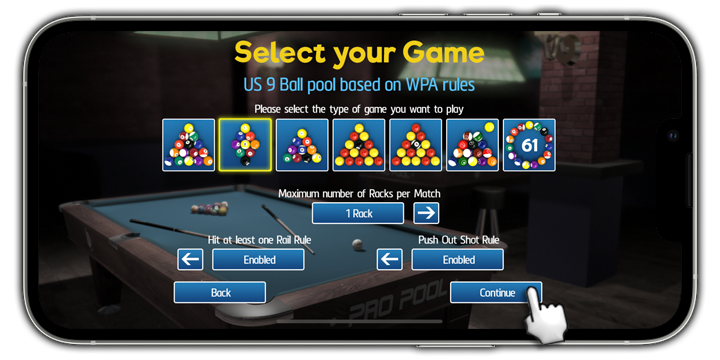
Step 6: Tap 'Start Game' when you are done.
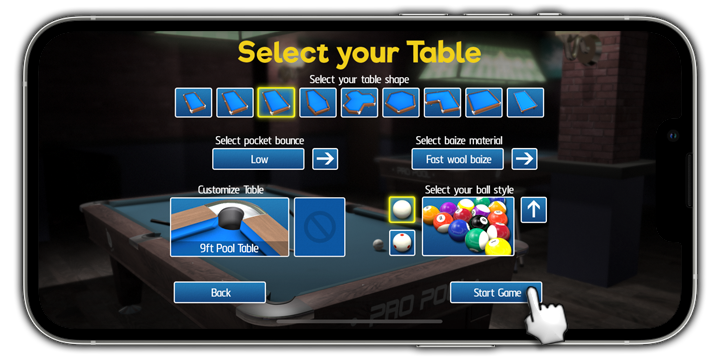
Step 7: Wait for someone to join your game!